
10 Signs Your Business Needs Automation (Before Your Competitors Do It)
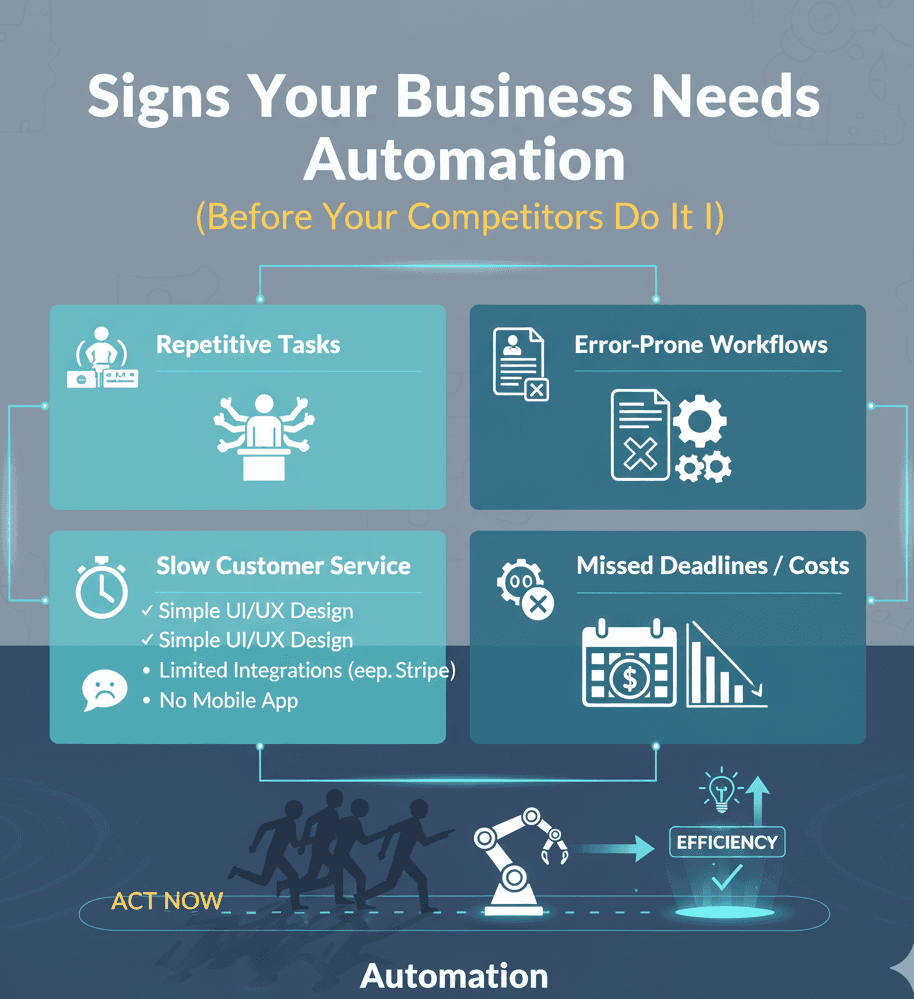
Your competitors are automating right now.
While you're manually processing invoices.
While your team is drowning in repetitive tasks.
While you're losing money on inefficiency.
Here are the 10 signs you're already too late.
(And what to do about it.)
Sign #1: Your Team Works Overtime on Repetitive Tasks
Sarah stays late every Tuesday.
Processing invoices. Data entry. Updating spreadsheets.
Same tasks. Every week. For 4 hours.
That's 208 hours per year. On tasks a computer could do in minutes.
If Sarah makes $30/hour:
208 hours × $30 = $6,240 wasted annually
On ONE person doing ONE repetitive task.
What to automate:
Invoice processing
Data entry
Report generation
Email follow-ups
File organization
ROI: Usually pays for itself in 4-8 months.
One of our clients (manufacturing company) automated invoice processing.
Before: 20 invoices/hour manually
After: 500 invoices/hour automatically
Priya Sharma (Healthcare Director): "What used to take our team 4-5 hours daily now happens automatically."
If your team regularly works overtime on the same tasks, automate now.
Sign #2: Customers Wait Hours (or Days) for Responses
Customer emails at 8 PM.
Your team is gone.
Customer waits until 9 AM next day.
14 hours later: "Hi! How can I help?"
Customer already bought from competitor.
The math:
100 inquiries/month
30% happen outside business hours
50% of those go to competitors
Average sale: $500
Lost revenue: 15 × $500 = $7,500/month = $90,000/year
What to automate:
AI chatbot for 24/7 responses
Automated email replies
Appointment scheduling
FAQ automation
Hassan Al-Rashid (Dubai Auto Shop): "The AI chatbot handles appointment scheduling, answers common questions, and works 24/7. Best investment we made this year."
Result: 28% increase in bookings.
If customers wait for responses, you're bleeding money.
Sign #3: Simple Tasks Take Forever
"How long to update the client database?"
"About 3 hours."
"How long to generate this report?"
"Maybe 2 hours."
"How long to send follow-up emails?"
"1-2 hours."
Why does clicking buttons take hours?
Because you're doing it manually.
Reality check:
Automation does these tasks in seconds.
What to automate:
Database updates
Report generation
Email campaigns
Status updates
File transfers
Wei Zhang (Construction Company): "Our project managers can now track jobs in real-time, and it's transformed our operations."
If simple tasks take hours, something's broken.
Sign #4: You're Hiring for Repetitive Work
"We need to hire someone to handle data entry."
Stop.
Before you hire, ask: Could automation do this?
Hiring a person:
$35K-50K salary
$10K-15K benefits
2-3 months training
Ongoing management
Total: $50K-70K per year
Automation:
$5K-15K setup
$300-800/month
2-4 weeks setup
Minimal management
Total: $8,600-24,600 first year, $3,600-9,600 after
Savings: $41,400-61,400 annually
What to automate instead of hiring:
Data entry positions
Basic customer service
Appointment scheduling
Invoice processing
Report generation
If you're about to hire for repetitive work, automate first.
Sign #5: Errors Keep Happening
Invoice sent to wrong client.
Wrong data in spreadsheet.
Email went to wrong person.
Appointment double-booked.
Humans make mistakes. Especially on repetitive tasks.
Error rate for manual data entry: 1-5%
Sounds small? It's not.
10,000 data entries × 2% error rate = 200 mistakes
Each mistake costs:
Time to find it
Time to fix it
Damaged relationships
Lost revenue
Estimated cost: $50-500 per error
200 errors × $100 average = $20,000 in error costs
Automation error rate: 0.01-0.1%
10,000 entries × 0.05% = 5 errors
Savings: $19,500 annually
Plus, you sleep better.
If errors happen regularly, automate now.
Sign #6: You Can't Handle More Customers
Good problem to have, right?
Wrong.
You're turning away business because you can't scale.
"Sorry, we're at capacity."
"We can't take new clients this month."
"Our waitlist is 6 weeks."
Why?
Your team is maxed out on manual work.
The solution isn't hiring 10 more people.
It's automation.
What to automate:
Customer onboarding
Order processing
Scheduling
Communication
Reporting
One client was turning away $50K/month in business.
Couldn't handle the volume manually.
After automation?
Handled 3x the customers. Same team size.
Revenue increased $600K annually.
If you're turning away business, automate yesterday.
Sign #7: Information Lives in Different Places
Customer data in email.
Orders in spreadsheet.
Notes in another app.
Financial data somewhere else.
Need information?
Check 4 different places. Copy. Paste. Hope it's current.
This is chaos.
What to automate:
Centralized database
Automatic syncing
Real-time updates
Single source of truth
Diego Fernández (Real Estate, Chile): "The automation tools streamlined several of our internal processes. The end result has definitely improved our efficiency."
If information is scattered, automate integration.
Sign #8: Reporting Takes All Day
"Can I get this week's numbers?"
"Sure, give me 6 hours."
Wait, what?
The data exists. Why does it take 6 hours?
Because you're manually:
Pulling from different sources
Copy-pasting into Excel
Creating charts
Formatting
Emailing
Automation does this in 30 seconds.
What to automate:
Automated dashboards
Real-time reporting
Scheduled reports
Data visualization
If reporting takes more than 15 minutes, automate it.
Sign #9: Customers Ask the Same Questions
"What are your hours?"
"Do you ship internationally?"
"How do I reset my password?"
"What's your pricing?"
Same. Questions. Every. Day.
Your team answers them. Over and over.
60% of customer inquiries are the same 10 questions.
What to automate:
AI chatbot for FAQs
Automated email responses
Self-service knowledge base
Interactive help system
Benefits:
Instant answers (customers love this)
Free up team for complex questions
24/7 availability
Consistent responses
88% of consumers used chatbots in the past year.
They WANT automation.
If you answer the same questions daily, automate them.
Sign #10: You Have No Idea What's Happening
"How many leads did we get last week?"
"Uh... maybe 30?"
"What's our conversion rate?"
"Not sure, let me check..."
You're flying blind.
No real-time data. No tracking. Just guessing.
What to automate:
Analytics dashboards
Automated tracking
Real-time metrics
Alert systems
Suddenly you know:
Exactly how many leads
Which sources work
Conversion rates
Revenue projections
Data-driven decisions beat guessing.
Every time.
If you're guessing instead of knowing, automate tracking.
The Automation Priority Matrix
Can't automate everything at once.
Start here:
Priority 1: High-Volume, Low-Complexity
Tasks you do 50+ times per week.
Simple, repetitive, rule-based.
Examples:
Email responses
Data entry
Appointment scheduling
Status updates
ROI: Highest. Automate first.
Priority 2: Time-Consuming, Manual
Takes hours. Happens regularly.
Currently manual.
Examples:
Report generation
Invoice processing
Customer onboarding
Inventory updates
ROI: High. Automate second.
Priority 3: Error-Prone, Important
Makes mistakes often.
Mistakes are expensive.
Examples:
Financial calculations
Order processing
Data transfers
Compliance tasks
ROI: Medium-High. Automate third.
Priority 4: Nice-to-Have
Would be helpful.
Not critical yet.
Examples:
Social media posting
Email marketing
Advanced analytics
Workflow optimization
ROI: Medium. Automate when budget allows.
Real Business Transformation
Automotive Shop (Dubai)
Before automation:
3 staff answering phones full-time
60% of calls were appointment requests
Front desk overwhelmed
Customers frustrated by busy lines
Staff interrupted constantly
After automation:
AI chatbot handles scheduling 24/7
Staff freed up for in-person customers
Instant responses to common questions
Customers happier
Team less stressed
Hassan Al-Rashid (Owner): "It handles appointment scheduling, answers common questions, and works 24/7. Our customers love the instant responses, and it's freed up my front desk staff to focus on in-person customers."
Results:
28% increase in bookings
3 staff redeployed to higher-value work
Customer satisfaction up 40%
Annual savings: $65,000
ROI: 7 months
This is what automation does.
The Cost of Waiting
Every month you delay costs money.
Example business:
Wasting 20 hours/week on automatable tasks
Average wage: $30/hour
Cost: $600/week = $31,200/year
Automation investment: $15,000
Year 1 savings: $16,200
Year 2 savings: $31,200
Year 3 savings: $31,200
3-year total: $78,600 saved
Cost of waiting one year: $31,200
That's the down payment on a house.
Or marketing budget.
Or new hires.
Waiting isn't free.
The Questions to Ask Yourself
Answer honestly:
1. Does my team regularly work overtime on repetitive tasks?
Yes → Sign #1. Automate now.
2. Do customers wait for responses outside business hours?
Yes → Sign #2. Get a chatbot.
3. Do simple tasks take unreasonably long?
Yes → Sign #3. Fix your processes.
4. Am I about to hire for repetitive work?
Yes → Sign #4. Automate instead.
5. Do we make regular errors on routine tasks?
Yes → Sign #5. Humans need help.
6. Are we turning away business due to capacity?
Yes → Sign #6. Scale with automation.
7. Is information scattered across multiple systems?
Yes → Sign #7. Integrate everything.
8. Does reporting take more than 15 minutes?
Yes → Sign #8. Automate reporting.
9. Do we answer the same questions daily?
Yes → Sign #9. Automate FAQs.
10. Do I guess instead of know our metrics?
Yes → Sign #10. Get real-time data.
If you said "yes" to 3+, you need automation.
If you said "yes" to 5+, you're losing serious money.
If you said "yes" to 7+, your competitors are eating your lunch.
What to Automate First
Start with one high-impact area.
Best first projects:
Customer service (if high volume):
AI chatbot for common questions
Automated appointment scheduling
Email auto-responses
Typical ROI: 6-9 months
Data processing (if time-consuming):
Automated data entry
Report generation
Database syncing
Typical ROI: 4-8 months
Communication (if repetitive):
Email automation
Follow-up sequences
Status updates
Typical ROI: 6-10 months
Get one win. Build momentum. Expand.
The Investment Reality
Small automation project: $5,000-15,000
1-2 processes automated
2-4 weeks timeline
Basic integration
Medium automation project: $15,000-50,000
5-8 processes automated
6-10 weeks timeline
Multiple integrations
Large automation project: $50,000-150,000
Company-wide systems
3-6 months timeline
Complex workflows
Most businesses start at $15K-30K.
Good sweet spot for meaningful impact.
The Bottom Line
Automation isn't optional anymore.
Your competitors are doing it.
Companies that automate:
Grow faster
Make fewer errors
Scale easier
Save money
Attract better talent (nobody wants repetitive work)
Companies that don't:
Waste time
Make more mistakes
Hit capacity limits
Lose money
Lose employees
The average business saves $300,000 annually with automation.
How much are you losing by not automating?
At BSLabs, we've automated workflows for:
Healthcare facilities
Construction companies
Automotive shops
Real estate firms
Manufacturing plants
Law firms
Each one custom-built for their specific needs.
No generic solutions. Real automation for real problems.
Want to see what you could save?
Get a free automation audit — We'll identify your biggest time-wasters and show you exactly what automation would cost and save.
No pressure. Just honest analysis.
Because here's the reality:
Every day you wait, you lose money.
Your competitors aren't waiting.
Neither should you.
Ready to stop wasting time and money?
Let's automate what matters.
BSLabs — Fast website and app development for businesses that mean business. No cheap work. No endless delays.
© 2026 BSLabs | webdevdesignz.com. All rights reserved.