
How Much Does It Actually Cost to Build an App in 2025?
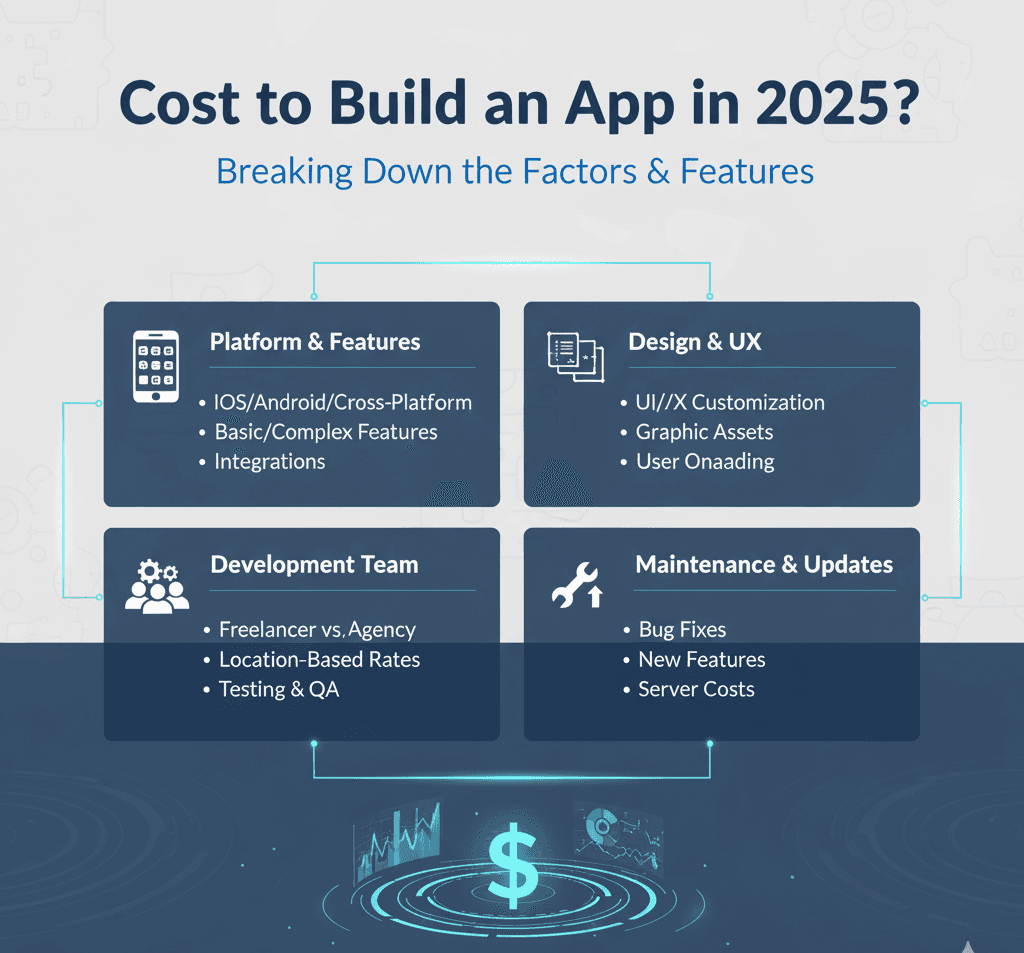
"How much to build an app?"
It's like asking "How much does a house cost?"
Depends. Do you want a studio apartment or a mansion?
But unlike real estate agents, I'm going to give you real numbers.
Simple app: $15,000 - $50,000
Medium complexity: $50,000 - $150,000
Complex app: $150,000 - $500,000+
Let me break down exactly what you get at each price point.
The Real Cost Breakdown
Most agencies hide the details. Not us.
Here's what actually determines your app's price:
Factor #1: Platform (30% of cost)
iOS only: 40% of cost
Android only: 40% of cost
Both platforms: 100% of cost (basically building twice)
Cross-platform (React Native/Flutter): 60-70% of cost
Building for both iPhone and Android doubles your work.
Unless you go cross-platform. Then it's only 60% more.
Factor #2: Features (40% of cost)
Every feature costs money.
Basic features ($):
User login
Basic profile
Simple navigation
Static content display
Medium features ($$):
Push notifications
In-app messaging
Search functionality
Payment processing
Photo/video upload
Advanced features ($$$):
Real-time updates
GPS/mapping
AI integration
Video streaming
Augmented reality
Complex algorithms
The more features, the higher the cost. Simple math.
Factor #3: Design (20% of cost)
Template design: Cheap but generic
Custom design: Expensive but unique
Premium design: Very expensive, award-winning
Most businesses should aim for custom.
Templates make you look like everyone else.
Factor #4: Backend Complexity (10% of cost)
Simple backend: Basic user data
Medium backend: User data + content management
Complex backend: Real-time sync, heavy data processing, integrations
The more your app does behind the scenes, the more it costs.
Price Tiers: What You Actually Get
Let's talk specific numbers and real capabilities.
Tier 1: $15,000 - $50,000 (Simple App)
What you get:
Single platform (iOS or Android)
5-10 screens
Basic user login
Simple database
Standard UI components
8-12 weeks development
Best for:
MVPs (testing an idea)
Simple tools or utilities
Internal company apps
Basic content apps
Example apps at this level:
Simple booking app
Content reading app
Basic calculator or tool
Employee directory
Timeline: 2-3 months
One of our clients built a field crew management app at this level.
Simple. Functional. Got the job done.
Tier 2: $50,000 - $150,000 (Medium Complexity)
What you get:
Both iOS and Android (cross-platform)
15-25 screens
Advanced user features
Payment integration
Push notifications
Custom design
Backend API
Admin panel
12-20 weeks development
Best for:
E-commerce apps
Social platforms (small scale)
Marketplace apps
Service booking platforms
Business management tools
Example apps at this level:
Restaurant ordering app with payments
Fitness tracking app with workouts
Local marketplace
Appointment booking system
Timeline: 3-5 months
Wei Zhang (Beijing construction company) invested in this tier.
Got a mobile app for field crews + web platform for office.
Result: "Transformed our operations. Worth every penny!"
Tier 3: $150,000 - $500,000+ (Complex App)
What you get:
Native iOS and Android (separate builds)
30+ screens
Advanced features (AI, real-time, etc.)
Custom animations
Complex backend infrastructure
Multiple integrations
Admin dashboard
Ongoing support
20-40 weeks development
Best for:
On-demand services (like Uber)
Social networks
Fintech apps
Healthcare platforms
Enterprise solutions
SaaS products
Example apps at this level:
Ride-sharing platform
Dating app
Stock trading app
Telemedicine platform
Project management suite
Timeline: 6-12 months
This is where you're building a full platform.
Not just an app. An entire business system.
The Hidden Costs Nobody Warns You About
The development cost is just the beginning.
Here are the ongoing costs most people forget:
App Store Fees
Apple App Store: $99/year
Google Play Store: $25 one-time
Microsoft Store: $19/year
Small but required.
Hosting & Backend
Simple: $20-50/month
Medium: $100-500/month
Complex: $500-5,000/month
Your app needs servers to run on.
More users = higher costs.
Maintenance
Bug fixes: 10-15% of development cost annually
OS updates: 2-3 times per year
Feature updates: Varies widely
Apps require ongoing care.
Budget 15-20% of original cost per year.
Marketing
Most apps fail because nobody knows they exist.
Budget at least what you spent on development.
$100K app? Plan $100K for marketing.
Payment Processing
If you accept payments:
Stripe: 2.9% + $0.30 per transaction
Apple In-App: 30% of purchases (15% for small businesses)
PayPal: 2.9% + $0.30
These fees add up fast.
Total ongoing cost: 30-50% of development cost annually
The Hourly Rate Reality
Most apps are priced by hourly rate.
Here's what you're really paying for:
Freelancer: $25-75/hour
One person doing everything
Slower delivery
Mixed quality
Communication challenges
Small Agency: $75-150/hour
Small team
Better quality
Reasonable communication
Limited availability
Established Agency: $150-300/hour
Dedicated team
High quality
Excellent communication
Fast turnaround
Top-Tier Agency: $300-500/hour
Expert specialists
Premium quality
White-glove service
Very fast delivery
At BSLabs, we're in the $150-200/hour range.
Not cheap. But not insanely expensive.
Why?
We're faster than most agencies.
What takes others 500 hours, we do in 300.
So even at $175/hour, you pay less total.
Simple App vs Complex App (Real Examples)
Let me show you the difference with actual projects.
Simple App Example: Field Management Tool
Client: Construction company
Goal: Track crew locations and tasks
Features:
User login
Task list
GPS check-in
Photo uploads
Basic reporting
Cost: $35,000
Timeline: 10 weeks
Platforms: Cross-platform (iOS + Android)
Simple. Focused. Does one thing well.
Complex App Example: Integrated Business Platform
Client: Same construction company
Goal: Full operations management
Features:
Field crew mobile app
Office staff web platform
Real-time job tracking
Inventory management
Client portal
Payment processing
Reporting dashboard
Integration with accounting software
Cost: $180,000
Timeline: 6 months
Platforms: Native iOS, Native Android, Web app
Wei Zhang (President): "They developed both a mobile app for our field crews and a web platform for our office staff—all integrated perfectly."
This isn't just an app. It's a complete business system.
When to Build an App (vs a Website)
Real talk.
Most businesses don't need an app.
A mobile-optimized website works fine.
Build an app when:
✅ Users will use it daily or weekly
✅ You need device features (camera, GPS, push notifications)
✅ Offline functionality required
✅ You want to be on their home screen
✅ Performance needs to be lightning-fast
✅ Building a platform or marketplace
Stick with a website when:
✅ Users visit occasionally
✅ Content-focused (blog, portfolio)
✅ Limited budget
✅ Need quick iteration
✅ SEO is important
Don't build an app just because everyone else has one.
Build it because it solves a real problem.
The MVP Strategy (Start Small)
Here's what smart companies do:
Phase 1: MVP ($30K-60K, 2-3 months)
Core features only
Single platform
Basic design
Test with real users
Phase 2: Improvements ($20K-40K, 1-2 months)
Fix issues from user feedback
Add most-requested features
Polish design
Phase 3: Scale ($50K-100K, 3-4 months)
Add second platform
Advanced features
Integrations
Marketing push
Total: $100K-200K over 6-12 months
This approach reduces risk.
You learn what works before investing heavily.
Red Flags When Hiring Developers
Watch out for these warning signs:
🚩 "We can build it for $5,000"
Unless it's super simple, they're lying or incompetent.
🚩 No portfolio or case studies
How do you know they're good?
🚩 Vague timeline
"It'll take as long as it takes" = disaster.
🚩 No contract or scope document
Never start without written agreement.
🚩 Won't show work-in-progress
You should see updates weekly, minimum.
🚩 Pressure to decide now
Good agencies don't need to pressure you.
🚩 Can't explain technical choices
If they can't explain it simply, they don't understand it.
At BSLabs, we show you:
Detailed scope document
Fixed timeline
Weekly progress updates
Clear contract terms
Portfolio with results
Transparency from day one.
Platform-Specific Considerations
iOS Development
Pros:
Higher-value users (spend more)
Easier testing (fewer devices)
Better monetization
Premium brand association
Cons:
Expensive to develop
Strict app review process
Limited to Apple ecosystem
Best for: B2C apps, premium products, US/Europe focus
Android Development
Pros:
Larger global market share
More flexible platform
Easier publishing process
Cons:
Fragmentation (many devices)
Lower average revenue per user
More testing required
Best for: Global reach, emerging markets, B2B apps
Cross-Platform (React Native, Flutter)
Pros:
60-70% cost of native development
Code shared between platforms
Faster development
Single team needed
Cons:
Slightly lower performance
Some platform-specific features harder
Less "native" feel
Best for: MVPs, budget-conscious projects, startups
What $100K Gets You (Detailed Breakdown)
Let's be specific about a $100,000 app project:
Discovery & Planning (10%, $10K, 2 weeks):
Requirements gathering
User research
Competitive analysis
Technical architecture
Project roadmap
Design (20%, $20K, 4 weeks):
User flow mapping
Wireframes
UI design (all screens)
Brand guidelines
Design system
Prototype
Development (50%, $50K, 12 weeks):
Frontend development
Backend API
Database design
Integration work
Security implementation
Performance optimization
Testing & QA (10%, $10K, 2 weeks):
Functional testing
User acceptance testing
Bug fixes
Performance testing
Security audit
Launch & Support (10%, $10K, 2 weeks):
App store submission
Server setup
Documentation
Training
Post-launch support
Total timeline: 22-24 weeks (5-6 months)
The Questions to Ask Before Starting
Before you spend $50K-$200K, answer these:
1. "Who is this for?"
If you can't clearly define your user, stop.
2. "What problem does it solve?"
Features don't matter. Problems solved do.
3. "Why an app and not a website?"
Be honest. Do you NEED an app?
4. "What's the MVP?"
Start with core features. Add more later.
5. "How will people find it?"
Marketing strategy is as important as development.
6. "What's my budget for updates?"
Apps need ongoing work. Can you afford it?
7. "What's success look like?"
Define metrics before you build.
Answer these first. Then build.
Real Client Success Story
E-commerce Platform (South Korea)
Min-ji Park wanted to take her boutique online.
What we built:
Beautiful shopping app
Seamless checkout
Payment integration
Inventory tracking
Email marketing integration
Customer management
Investment: $95,000
Timeline: 4.5 months
Platforms: iOS, Android, Web
Min-ji Park (Founder): "I couldn't be happier with my new online store. Sales have tripled since we launched."
ROI: App paid for itself in 8 months.
Now it's pure profit.
The Bottom Line
App development costs range wildly.
$15K-50K: Simple, focused tools
$50K-150K: Medium complexity with custom features
$150K-500K+: Complex platforms and enterprise solutions
But cost isn't everything.
What matters:
Does it solve a real problem?
Will people actually use it?
Can you afford ongoing maintenance?
Do you have a marketing plan?
A $30,000 app that people love beats a $300,000 app nobody uses.
Start with the problem. Not the features.
At BSLabs, we help you figure out what to build before you build it.
Strategy first. Development second.
Because the most expensive app is the one that fails.
Want to know what YOUR app would cost?
Get a free app estimate — We'll analyze your idea and give you honest numbers.
No sales pressure. Just real estimates based on your actual needs.
Because here's the truth:
Building an app is expensive.
Building the wrong app is even more expensive.
Let's make sure you build the right one.
Ready to turn your idea into reality?
Let's build an app that people actually use.
BSLabs — Fast website and app development for businesses that mean business. No cheap work. No endless delays.
© 2026 BSLabs | webdevdesignz.com. All rights reserved.